
Rock Identifier: Stone ID
Next Vision LimitedLifestyle
4.58.47K Reviews
- Version
- 2.4.3
- Installs
- 10.00M
- Age Rating
- Everyone
Screenshots
Our Review of Rock Identifier: Stone ID
 Analysis by Appyee
My most useful habit with a rock-identification app is to treat each result as a lead, not a verdict. A photo can point me toward a likely mineral, but lighting, dirt, wear and the angle of the shot all affect what the camera sees. That mindset makes Rock Identifier: Stone ID more enjoyable: I use it to turn a passing curiosity into a question I can investigate, rather than expecting a phone to replace careful observation.
A repeatable photo routine gives better clues
I get more value when I pause before taking the picture. I look for a clean, well-lit view, hold the phone steady, and frame the stone so its surface is the main subject. If the rock has a distinctive band, crystal face or contrasting patch, I try to include that detail rather than filling the frame with a pile of similar-looking stones. This is a simple habit, but it helps me judge whether a suggested identification fits what I can actually see.
When a first result feels uncertain, I do not keep taking nearly identical pictures and hope the app changes its mind. I change the evidence: turn the stone, find a different surface, or move to more even light. For a specimen that is safe and already in my possession, I may gently brush away loose dirt; I would not damage a rock or collect one where local rules prohibit it just to get a clearer image. The useful question is not only “What name appeared?” but “Which visible features support that answer?”
Use the result as a small field note
One practical way to make an identification more useful is to connect it to the place and circumstances where I found the specimen. I can remember whether it came from a beach, a garden path or a trail, and note what the surface looked like before handling it. That context is not a substitute for an expert assessment, but it gives me something to compare with the app’s suggestion later. If I am exploring with children or a class, asking them to describe the stone before opening the result also turns the scan into an observation exercise rather than a guessing game.
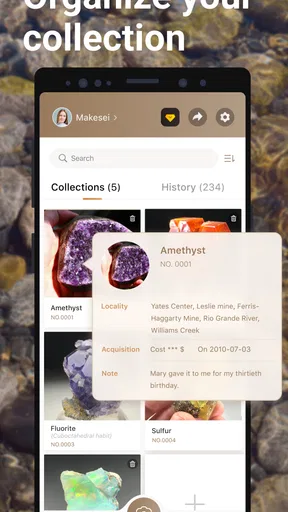
This approach suits a casual natural-history notebook: keep the photo, the suggested name and a short description together, then revisit uncertain finds when I have time. I avoid treating a single scan as proof of a stone’s origin or value. A visual identifier can help narrow possibilities, but two minerals may look alike in a phone image, and a rough or weathered specimen may hide the details that would distinguish them.
Check the practical terms before making it a habit
The app is free to download, though it includes optional in-app purchases, so I would check the current purchase screens before relying on any paid feature. Its Everyone age rating makes it approachable for family use, but I still supervise younger children around outdoor collecting and make sure they do not taste, break or pocket unknown material. The developer is Next Vision Limited, and the app’s current version is 2.4.1; on Android, it requires version 9 or later.
Its 4.5 average from around 112,000 ratings and more than 10 million installs suggest that many people find the idea useful, while the roughly 8,100 reviews offer a substantial set of user feedback to browse. I would not use popularity as evidence that every result is correct. Instead, it tells me this is an established option for quick curiosity, not a specialist instrument whose answer should settle a scientific or collecting dispute.
Who will get the most from it?
I would recommend it to hikers who like naming what they notice, families looking for a simple way to start conversations outdoors, and beginners who want approachable background while learning basic mineral vocabulary. It can also make a classroom activity more engaging when the goal is to prompt questions and compare observations. In those settings, the app’s strongest contribution is often the moment it creates: someone notices a stone, takes a closer look, and becomes curious enough to ask why it appears that way.
It is a weaker fit for geology students who need a defensible identification, collectors assessing a purchase, or anyone making decisions about a specimen’s monetary or scientific value. Those users are better served by physical tests, specialist references or advice from a qualified geologist. A camera-based suggestion can be a convenient starting point, but it cannot inspect properties that are not visible in the image.
Compared with searching the web for “green rock with shiny flecks,” a photo-first tool is quicker when I have no idea what terms to use. A field guide, by contrast, encourages deliberate comparison and can be more dependable when I can check several visible traits. I see the app between those options: easier for a first guess than a book, but less conclusive than a careful identification using multiple observations. If the first suggestion does not match the stone, I would consult a guide or another knowledgeable person rather than forcing the photo to fit.
Small habits make the experience more useful
For a walk, I decide in advance whether I am identifying stones for fun or documenting a particular find. That keeps me from interrupting every few steps to scan ordinary gravel. I also take a separate ordinary photo when a specimen matters to me, so I have a record of its appearance independent of the app’s label. If I am offline, I do not assume the identifier will work without preparation; I check the app’s current setup before heading somewhere with poor reception rather than relying on an unverified offline workflow.
When a result seems plausible, I compare its description with the specimen instead of focusing only on the name. When it seems implausible, I adjust the photo and try again once, then switch to another source if uncertainty remains. This keeps the app in its best role: an accessible prompt for learning. It also prevents a common trap with visual tools, where a confident-sounding label can make an uncertain guess feel more certain than it really is.
Getting Started with Rock Identifier
First things first, let’s talk about how easy it is to get started. Once you’ve downloaded Rock Identifier: Stone ID, the setup is a breeze. The user interface is clean and intuitive, which is always a plus for those of us who might not be tech wizards. You’ll be snapping pictures and identifying stones in no time.
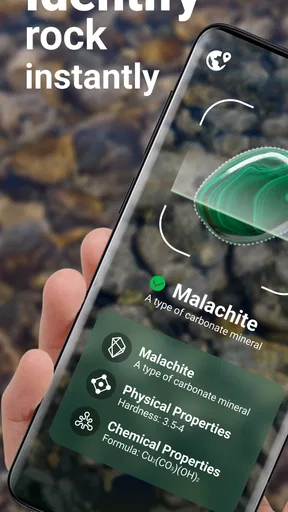
What I love is the simplicity. You open the app, snap a picture of the rock in question, and voilà! The app does its magic, analyzing the image and matching it against a robust database of rocks and minerals. It’s like having a magic wand for geology enthusiasts.
The Features That Rock
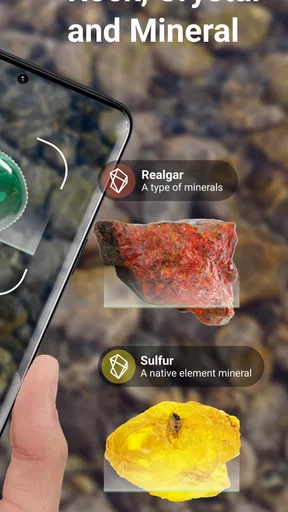
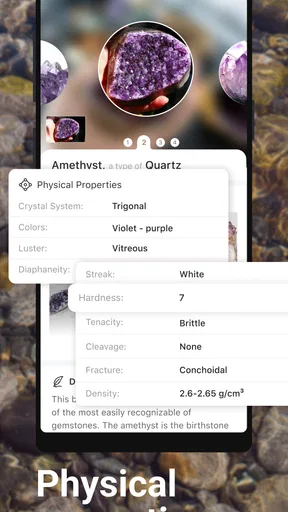
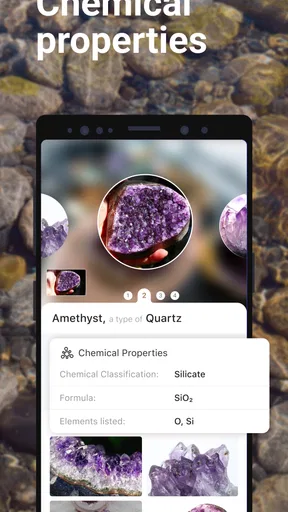
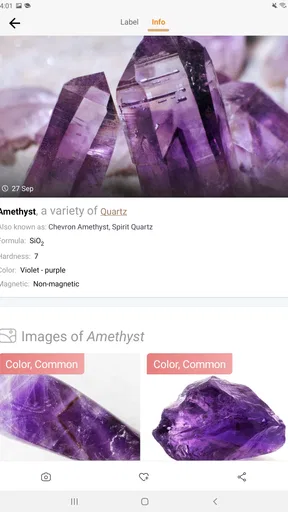
One of the standout features is the accuracy of the identification. The app uses AI technology to provide detailed information about the rock, including its classification and mineral content. I was genuinely impressed by the level of detail it offers. From quartz to obsidian, the app seems to know its stuff.
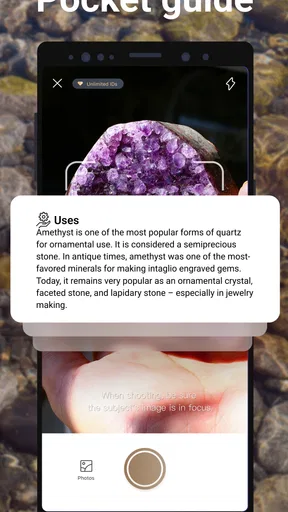
Another cool feature is the educational aspect. Not only does it help identify rocks, but it also provides a little history and fun facts about each one. It’s like having a mini-geology lesson in your pocket. Perfect for those who love to learn on the go.
And let’s not forget the community aspect. You can share your findings with other users, which adds a social element to the app. It’s fascinating to see what others are discovering around the world.
Hiking Companion or Classroom Tool?
Rock Identifier is versatile enough to be used in different scenarios. Whether you’re an avid hiker, a student, or just someone who loves collecting rocks, this app has something for everyone. I’ve used it on hikes, and it’s become a staple in my outdoor adventures. Plus, it’s a fantastic tool for educators looking to engage students in geology in a fun and interactive way.
What makes it even more appealing is its offline functionality. You don’t need an internet connection to identify rocks, which is a lifesaver when you’re out in the wild with no signal. Just make sure to download the necessary data beforehand.
Conclusion: A Must-Have for Rock Enthusiasts
In conclusion, Rock Identifier: Stone ID is a gem of an app for anyone interested in geology or simply curious about the natural world. It’s user-friendly, educational, and quite frankly, a lot of fun. Whether you’re identifying stones on a hike or using it as an educational tool, this app delivers.
So, next time you’re out in nature and stumble upon an intriguing rock, whip out your phone and let Rock Identifier: Stone ID do its thing. You might just discover something extraordinary.
Verdict
Strengths of Rock Identifier: Stone ID
- Accurate rock identification with detailed info.
- User-friendly interface simplifies navigation.
- Includes a growing database of rock types.
- Educational content enriches learning experience.
- Offline mode available for remote locations.
Limitations of Rock Identifier: Stone ID
- Limited to common rocks; rare types missing.
- Can't identify rocks from poor quality images.
- Frequent ads disrupt the user experience.
- Requires premium for full feature access.
- Occasional app crashes on older devices.
Other Releases by Next Vision Limited
View All
CoinSnap - Coin Identifier
Tools4.6

Picture Insect: Bug Identifier
Education4.3

Picture Mushroom - Mushroom ID
Education4.1

AntiqSnap: Antique Identifier
Tools4.7
Similar Picks in This Category
View All
SmartThings
Samsung Electronics Co., Ltd.4.6

Google Home
Google LLC4.0

Pinterest4.2

Astrotalk - Talk to Astrologer
Astrology & Horoscope4.7

My Verizon
Verizon Consumer Group4.5

Samsung Wallet (Samsung Pay)
Samsung Electronics Co., Ltd.4.1
Frequently Asked Questions
What is Rock Identifier: Stone ID, and how does it work?
Rock Identifier: Stone ID is a mobile application designed to help users identify various types of rocks and minerals through a user-friendly interface. By using your smartphone's camera, you can take a picture of a rock, and the app employs advanced image recognition technology to provide detailed information about the rock's type, composition, and origin.
Do I need an internet connection to use Rock Identifier: Stone ID?
Yes, an internet connection is necessary for Rock Identifier: Stone ID to function effectively. The app relies on an extensive online database to analyze and identify rocks accurately. This ensures that users receive the most up-to-date and comprehensive information based on the latest geological data.
Is Rock Identifier: Stone ID suitable for educational purposes?
Absolutely! Rock Identifier: Stone ID is an excellent tool for both amateur enthusiasts and students. It provides educational insights into geology, helping users learn more about rock formations, types, and their historical significance. The app also includes detailed descriptions and high-quality images, making it a valuable resource for educational settings.
Are there any costs associated with using Rock Identifier: Stone ID?
Rock Identifier: Stone ID offers both free and premium versions. The free version includes basic identification features, while the premium version provides additional functionalities such as detailed analysis, ad-free experience, and offline access. Users can choose the plan that best fits their needs, with options for monthly or yearly subscriptions.
How accurate is the identification provided by Rock Identifier: Stone ID?
The accuracy of Rock Identifier: Stone ID is generally high, thanks to its advanced image recognition algorithms and extensive database. However, the app's accuracy can vary depending on the quality of the image and the complexity of the rock's features. For best results, users are advised to take clear, well-lit photos and provide multiple angles when possible.
